When it comes to designing a printed circuit board , the mounting holes may not be the first thing on your mind. But make no mistake—these small yet essential features can determine the fate of your entire project. Imagine a PCB that’s perfectly designed, with every trace and component flawlessly positioned, only to falter due to improperly sized mounting holes. A simple mistake could lead to weak solder joints, alignment failures, and even a complete system malfunction.
Choosing the correct size for your PCB mounting holes isn’t just a matter of following guidelines. It’s about understanding how this crucial element impacts the structural integrity, manufacturability, and long-term reliability of your design. Let’s dive deep into why mounting holes matter, how to get the size just right, and the costly consequences of getting it wrong.
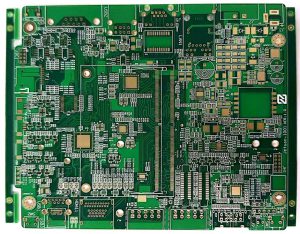
PCB Mounting Holes
What Are PCB Mounting Holes?
Before we explore the critical factors that determine the right size, let’s quickly clarify what PCB mounting holes are and why they matter. In essence, mounting holes are drilled openings in a PCB that allow for the attachment of screws, standoffs, or other fastening components. These holes provide a secure method to affix the PCB to the final product, enclosure, or assembly.
Although these holes might appear insignificant when compared to the components like resistors, capacitors, and ICs, they play a vital role in the mechanical stability of the board. Their primary function is to ensure that the PCB stays firmly in place, avoiding any movement or vibration that could potentially damage delicate components.
Why the Right Size for PCB Mounting Holes Matters
Choosing the right size for mounting holes isn’t just a minor detail; it’s a game-changer in your design’s functionality. The size of your mounting holes directly impacts the strength and durability of your assembly, as well as the ease of the manufacturing process.
Structural Integrity
Imagine a PCB that’s subjected to constant mechanical stress—vibrations, external forces, and temperature fluctuations. The size of your mounting holes determines how effectively the PCB can distribute this stress. If your holes are too small, the material around the hole can weaken, compromising the structural integrity of the entire board. On the other hand, oversized mounting holes can reduce the board’s overall strength, making it more susceptible to bending or cracking.
Soldering and Assembly
Mounting holes don’t just impact the physical structure; they also affect the soldering and assembly process. If the holes are too large or too small, it could make soldering components difficult, or worse, impossible. Properly sized holes ensure that the mounting hardware can be easily inserted, and the PCB can be securely fixed during assembly.
Thermal Expansion
Another often-overlooked factor is the role mounting holes play in thermal expansion. As PCBs heat up, the copper and other materials expand. If the mounting holes aren’t the right size, they can restrict this natural expansion, leading to warping or stress fractures over time. The correct size allows for proper expansion and contraction without compromising the board’s integrity.
Factors to Consider When Choosing Mounting Hole Size
When selecting the appropriate size for PCB mounting holes, several factors come into play. These considerations will help you achieve the optimal hole size that supports both the functionality and the longevity of your PCB.
1. PCB Thickness
The thickness of your PCB plays a major role in determining the size of the mounting holes. A thicker PCB generally requires larger mounting holes to ensure that the hole’s walls remain strong and stable. On the other hand, thinner PCBs need smaller holes to avoid weakening the material around the hole.
For example, a typical PCB with a thickness of 1.6mm might require a hole size of about 3.2mm, while a thicker 2.4mm PCB may require a hole size of around 4mm to accommodate the increased material.
2. Component Size and Design
The size of the components you intend to mount on the PCB also plays a crucial role in hole sizing. If you’re using screws, bolts, or standoffs, the mounting holes need to match the size of these components. Too tight a hole and the component won’t fit; too loose and it won’t stay in place.
When it comes to sizing for mounting holes, a general rule of thumb is that copper-plated holes should be 0.1mm larger than the component’s lead diameter, while non-copper holes should only be 0.08mm larger. However, considering the size of components, the spacing between leads, and the accuracy of the manufacturing process is key. For instance, if the farthest distance between component leads is 3mm, the hole size won’t be the same as if the distance were 300mm. Additionally, tolerances in lead spacing, PCB shrinkage, or drill hole accuracy can further complicate the fitting, making proper hole sizing critical to ensuring a good assembly fit.
3. Hole-to-Hole Spacing
When designing a PCB, spacing between holes must be considered just as carefully as the hole size itself. If the spacing is too tight, it can lead to misalignment during assembly, while spacing that’s too wide might compromise the board’s mechanical integrity. Maintaining consistent spacing between mounting holes ensures that your PCB remains aligned and well-supported throughout the product’s lifespan.
4. Mechanical Stress and Load Distribution
Mounting holes help distribute mechanical stress across the PCB, ensuring that the board remains stable even under pressure. If the holes are too large, the surrounding material may become too weak to handle the stress. Smaller holes might not allow for enough flexibility, putting pressure on the PCB’s edges or components.
The right size helps distribute stress evenly across the entire PCB, which is particularly crucial in high-load applications or when the board is subjected to frequent physical movement.
Common Mistakes to Avoid When Sizing PCB Mounting Holes
While it’s easy to assume that all mounting holes are created equal, small errors in hole sizing can lead to serious complications down the line. Avoid these common mistakes to ensure your design is both functional and durable.
1. Ignoring Tolerance and Manufacturing Limits
Manufacturing tolerances can vary, and ignoring these limitations can result in poorly executed holes that don’t align correctly with the rest of your design. Be sure to factor in the specific tolerance range your manufacturer can handle to ensure the holes are drilled accurately.
2. Choosing the Wrong Hole Size for Weight and Stress
Using a hole size that’s too small or too large for your intended load can cause serious issues. Mounting holes need to be sized to accommodate the weight of the components they’ll be supporting, and they must distribute mechanical stress evenly across the PCB. Always perform a stress analysis to determine the ideal size for the job.
3. Overlooking Hole Plating and Finishes
Plating and finishes aren’t just for electrical contacts; they also impact the durability and functionality of your mounting holes. For example, if your PCB requires a finish that improves corrosion resistance, make sure that the hole size is appropriate for the plating process, as this can affect the final hole diameter.
Best Practices for Sizing PCB Mounting Holes
Getting the hole size right isn’t just about intuition; it’s about following industry best practices to ensure that your PCB performs at its best. These best practices can guide you toward selecting the optimal hole size for your design.
1. Referencing Manufacturer Guidelines
Always consult your PCB manufacturer for specific guidelines on hole sizing. Manufacturers often provide detailed specifications for hole dimensions based on the type of board, material, and the plating process. Ensuring that your design aligns with these recommendations can save you time, money, and headaches during production.
2. Calculating Hole Size Based on Component Specifications
Measure the components you’ll be using and calculate the ideal hole size based on their diameter. If you’re working with screws or standoffs, check the manufacturer’s specs for the exact measurements needed for a secure fit.
3. Accounting for Tolerances and Hole Plating
Be mindful of tolerances, especially if you’re working with components that require precise placement. Consider the additional space that might be needed for plating and finishing, as these can alter the final size of the holes.
Conclusion
Choosing the right size for PCB mounting holes may seem like a small detail, but it can significantly impact the overall performance and longevity of your design. From structural integrity to ease of assembly, the size of your mounting holes affects much more than just the mechanical aspects of your PCB. By considering factors like PCB thickness, component sizes, hole-to-hole spacing, and mechanical stress, you can ensure that your PCB remains stable, reliable, and functional.
Take the time to choose the optimal hole size, and your project will be better equipped to handle whatever challenges it faces down the line. After all, sometimes it’s the smallest components that make the biggest difference.
our linkedin sqpcb.com

- long board pcb
- Flexible PCBs
- Special PCB
- Express Printed Circuit Board
- Pcb Prototype
- LED PCB
- PCB
- Printed Circuit Board
- Pcb meaning
- Pcb manufacturer
- Rigid pcb board
- Rigid Flex PCB
 Quote
Quote
 E-mail