PCB copper thickness plays a critical role in how a circuit board performs—electrically, thermally, and mechanically. Whether you’re building high-power inverters, consumer gadgets, or multilayer control boards, understanding copper thickness is vital for optimal design and long-term reliability. But here’s the kicker… choosing the wrong copper thickness can result in overheating, failed traces, or inflated costs. In this guide, we’ll walk through copper thickness standards, how to measure and calculate it, where it’s most impactful, and how to choose the right thickness for your specific application.
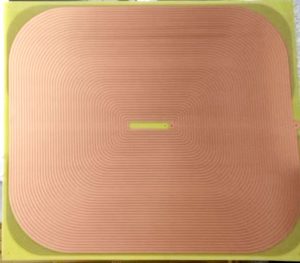
PCB Copper Thickness
1. Introduction to PCB Copper Thickness
Let’s kick things off with the basics—what is PCB copper thickness?
Printed circuit board copper thickness refers to the thickness of the copper layer applied to the base substrate. It’s measured in ounces per square foot (oz/ft²), microns (μm), or mils (thousandths of an inch). The most common standard is 1 oz copper, which equals roughly 35 microns or 1.4 mils thick.
Why does it matter? Well, the copper layer serves as the electrical highway, distributing power and signals throughout the board. Too thin, and you’ll suffer from voltage drop, heat buildup, and current limitations. Too thick, and you may face excessive costs or design constraints.
But here’s the real story… most designers stick with 1 oz by default, not realizing that optimizing copper thickness can dramatically improve power delivery and thermal stability.
This article explores not only what copper thickness to use—but also how to calculate it, design for it, and choose a manufacturer who can deliver it reliably.
| Unit | Equivalent Copper Thickness |
|---|---|
| 0.5 oz | ~17.5 μm (0.7 mil) |
| 1 oz | ~35 μm (1.4 mil) |
| 2 oz | ~70 μm (2.8 mil) |
| 3 oz | ~105 μm (4.2 mil) |
| 4 oz | ~140 μm (5.5 mil) |
2. Standard PCB Copper Thickness Values
Let’s talk standards—and why they matter more than ever.
The IPC-6012 standard outlines the acceptable range for copper thickness in PCBs. Most standard boards are manufactured with 1 oz copper, but for higher current applications, designers go up to 2 oz or even 3 oz. Boards requiring precision impedance control or higher thermal dissipation may also need custom copper configurations.
But here’s the kicker… many don’t realize that the copper thickness varies between inner and outer layers. Outer layers often receive additional plating during the via process, making them slightly thicker than inner layers.
Three typical board configurations:
-
A consumer Bluetooth module with 1 oz copper on both layers.
-
An automotive BMS board with 2 oz outer and 1 oz inner copper.
-
A high-voltage inverter with 3 oz copper all around and selective 4 oz copper for power traces.
The copper thickness directly affects trace width, impedance, and layer count—three critical design factors.
| Copper Weight | Thickness (μm) | Common Applications |
|---|---|---|
| 0.5 oz | ~17.5 μm | Low-power circuits, signal boards |
| 1 oz | ~35 μm | General electronics, control circuits |
| 2 oz | ~70 μm | Power supplies, LED drivers |
| 3 oz | ~105 μm | Automotive modules, BMS, converters |
3. How PCB Copper Thickness Is Measured
Now let’s dig deeper into how copper thickness is actually measured.
Copper thickness is typically specified in ounces per square foot (oz/ft²), where 1 oz of copper uniformly spread over 1 ft² results in a thickness of approximately 35 μm. But here’s the real story… most designers think in oz, while manufacturers work in microns or mils—this can lead to miscommunication if not clarified.
Copper on outer layers is also affected by plating during through-hole via processing. So, while you might start with 1 oz copper, the finished thickness may be 1.2–1.4 oz.
Three measurement scenarios:
-
A prototype board starts with 0.5 oz copper and ends up with ~22 μm after finishing.
-
A 4-layer board has 1 oz copper on all layers, with outer layers increasing to ~50 μm due to plating.
-
A 6-layer HDI board with 0.75 oz base copper is plated to 1.25 oz on the outer layer.
| Measurement Unit | Conversion to Microns | Conversion to Mils |
|---|---|---|
| 0.5 oz | ~17.5 μm | ~0.7 mil |
| 1 oz | ~35 μm | ~1.4 mil |
| 2 oz | ~70 μm | ~2.8 mil |
| 3 oz | ~105 μm | ~4.2 mil |
4. Copper Thickness in Different PCB Layers
Here’s where it gets interesting…
Not all copper layers are created equal. In multilayer PCBs, the copper thickness may differ between the inner and outer layers due to processing constraints and functional requirements. For instance, outer layers receive plating during via formation, making them thicker than the inner layers.
Let’s look at three use cases:
-
A 2-layer motor controller uses 2 oz copper on both layers to carry high currents.
-
A 6-layer communication device uses 1 oz on the outer layers and 0.5 oz on signal inner layers to minimize impedance variation.
-
A 10-layer server motherboard uses a combination of 1 oz and 2 oz to balance signal speed and thermal concerns.
But here’s the kicker… inner layers with heavy copper require precise lamination to avoid warping. Too much copper increases layer-to-layer misalignment risk.
| Layer Position | Typical Copper Weight | Notes |
|---|---|---|
| Outer Layer | 1–3 oz | Includes plated copper |
| Inner Layer | 0.5–2 oz | No plating; thinner for impedance |
| Power Layer | 2–4 oz | Often thicker for current load |
5. Applications of Various Copper Thicknesses
Now, let’s match thickness to real-world applications.
The appropriate copper weight depends largely on the type of electronic device. Choosing the right thickness ensures better current handling, lower heat generation, and increased board longevity.
Let’s look at three examples:
-
0.5 oz copper is used in wearable electronics, fitness trackers, and IoT sensors.
-
1 oz copper appears in mobile devices, routers, and industrial controllers.
-
2–3 oz copper is typical in power converters, high-current LED drivers, and EV charging circuits.
But here’s the real story… overengineering by using too much copper leads to wasted material, higher production costs, and reduced manufacturability.
| Application Type | Recommended Copper Thickness |
|---|---|
| Consumer Electronics | 0.5–1 oz |
| Industrial Controls | 1–2 oz |
| Power Electronics | 2–3 oz |
| Automotive/EV | 3–4 oz |
6. High Copper PCBs (Heavy & Extreme Copper)
Here’s where things start to get serious.
Heavy copper PCBs—typically defined as using 3 oz to 10 oz per layer—are engineered to handle extremely high currents and severe thermal conditions. But here’s the kicker… extreme copper PCBs can go up to 20 oz or more and are used in highly specialized applications like defense systems, industrial power modules, and rail electronics.
These PCBs are not only thicker but also require special etching, drilling, and plating techniques. That’s because thick copper tends to undercut during etching and needs slower, more precise processing.
Three use cases:
-
A DC-DC converter in a solar inverter system uses 4 oz copper to carry over 30A of current.
-
A military-grade radar system uses 6 oz copper across four layers for heat dissipation and power integrity.
-
A high-voltage motor control PCB features 8 oz copper for rugged field use.
| Copper Category | Thickness Range | Application Examples |
|---|---|---|
| Standard Copper | 0.5–2 oz | Consumer, industrial electronics |
| Heavy Copper | 3–6 oz | Power converters, EV boards |
| Extreme Copper | 8–20+ oz | Rail, aerospace, military |
7. PCB Trace Width vs Copper Thickness
Now let’s connect copper thickness to trace design.
PCB trace width and copper thickness go hand in hand. Thicker copper allows for narrower traces to carry the same current—but here’s the real story… there’s a trade-off. Narrow traces are harder to etch accurately and are more prone to impedance fluctuation.
Using IPC-2221 guidelines, you can calculate the required trace width to safely carry a specific current. Online calculators help, but the formula essentially accounts for copper thickness, current, and allowed temperature rise.
Three design scenarios:
-
A 0.5 oz trace carrying 0.5A needs ~10 mil width for 10°C rise.
-
A 1 oz trace for 1A might need 12–15 mil depending on layout.
-
A 2 oz trace carrying 5A could be as narrow as 25 mils but often widened for safety.
| Copper Thickness | Current (1A) Trace Width | Current (5A) Trace Width |
|---|---|---|
| 0.5 oz | ~12 mil | Not recommended |
| 1 oz | ~10 mil | ~60–80 mil |
| 2 oz | ~7–8 mil | ~25–30 mil |
8. Copper Thickness and Current Carrying Capacity
Let’s talk current—because that’s what really matters in copper design.
The amount of current a PCB trace can safely carry depends largely on copper thickness. But here’s the kicker… designers often overlook how temperature rise affects this calculation.
The IPC-2221 standard provides formulas for both internal and external traces. External traces can dissipate heat faster and hence carry more current for the same thickness.
Three practical examples:
-
A 1 oz external trace, 10 mil wide, can carry about 1A with 10°C rise.
-
A 2 oz internal trace, 50 mil wide, may safely carry 4A under similar conditions.
-
A 3 oz outer trace, 100 mil wide, can support 10–12A, making it ideal for motor driver circuits.
| Copper Thickness | Max Current (10 mil trace) | Max Current (100 mil trace) |
|---|---|---|
| 1 oz | ~1A | ~10–12A |
| 2 oz | ~2A | ~15–18A |
| 3 oz | ~3.5A | ~25–30A |
9. Thermal Management and Copper Thickness
Here’s where copper earns its weight—literally.
Copper’s excellent thermal conductivity (about 400 W/m·K) makes it a natural choice for managing heat in PCBs. But here’s the real story… thickness isn’t everything. Copper works best when paired with thermal vias, heatsinks, and good layout design.
Three real-world cases:
-
A 2 oz copper LED PCB dissipates 5W of heat using a network of thermal vias under the LED pad.
-
An EV battery management PCB uses 4 oz copper and an aluminum substrate to spread and vent heat quickly.
-
A server blade uses 1 oz copper, but integrates a copper coin under the processor for focused cooling.
| Thermal Strategy | Role of Copper Thickness | Complementary Materials |
|---|---|---|
| Wide Traces | Better heat spreading | None needed |
| Thermal Vias | Move heat to other layers | Copper plating |
| Metal Core PCBs | Base heat dissipation | Aluminum, thermal paste |
10. Voltage Drop and Signal Integrity Considerations
Here’s the kicker—thicker copper doesn’t just carry more current, it reduces voltage drop too.
Voltage drop occurs due to resistance in the copper traces. Using Ohm’s Law, we know that thicker traces (more cross-sectional area) reduce resistance and therefore voltage loss. This is essential for high-current applications and long-distance signal traces.
Three signal-sensitive scenarios:
-
A 3.3V power line drops to 3.0V over a 6-inch 1 oz trace—unacceptable in many digital systems.
-
A 2 oz power plane maintains stable voltage for a 5V rail across the entire board.
-
A USB trace needs impedance control, so designers balance width and thickness to avoid signal reflections.
| Factor | Thin Copper (0.5 oz) | Thick Copper (2 oz) |
|---|---|---|
| Voltage Drop | High | Low |
| Signal Integrity | Prone to noise | Improved stability |
| Impedance Consistency | Variable | More controllable |
11. Cost Implications of Copper Thickness
Let’s face it—money talks.
Copper is one of the most expensive materials in PCB manufacturing. And here’s the real story… increasing copper thickness doesn’t just raise material costs—it affects etching time, plating complexity, drill wear, and overall fabrication time.
Three examples of how costs scale:
-
A 1 oz board might cost $1.00 per unit at volume, while switching to 2 oz could push it to $1.40–$1.60 due to slower etching and higher copper consumption.
-
A 4-layer board with 2 oz copper on all layers can cost 30–50% more than a similar board with 1 oz copper.
-
A 6-layer board with mixed copper thickness (1 oz inner, 3 oz outer) might require custom stackups and extended lead time—leading to 75% higher cost in some cases.
But here’s the kicker… sometimes the long-term cost savings from improved thermal or current capacity outweigh the initial expense.
| Copper Thickness | Relative Cost Impact | Key Cost Drivers |
|---|---|---|
| 0.5 oz | Lowest | Minimal copper usage, fast etching |
| 1 oz | Standard | Balanced cost/performance |
| 2 oz | +30–60% | Material + extended etching |
| 3 oz+ | +50–100% | Custom handling, slow production |
12. Design Guidelines for Choosing Copper Thickness
Here’s where design meets practicality.
Choosing the right copper thickness involves balancing electrical, thermal, mechanical, and cost constraints. But here’s the good part… there’s a smart way to approach it.
Start by defining:
● Maximum current per trace
● Trace length and allowable voltage drop
● Required impedance
● Thermal load and ambient conditions
Three guideline scenarios:
-
A low-current signal board (<500mA) with tight space constraints goes with 0.5 oz copper to keep cost and trace width small.
-
An LED lighting controller chooses 2 oz copper with 20 mil traces for improved thermal spreading and current handling.
-
A DC-DC converter requires 3 oz copper on the top layer, with a full copper pour and thermal vias to stabilize temperatures.
But here’s the kicker… overdesigning with 3 oz copper when 1 oz would do just burns money.
| Application | Recommended Copper | Notes |
|---|---|---|
| Signal Traces | 0.5–1 oz | Minimize impedance shift |
| Power Traces (<2A) | 1 oz | Default for most loads |
| Power Traces (2–5A) | 2 oz | Safer current and heat capacity |
| High Power (>10A) | 3 oz+ | Requires wider traces and copper pours |
13. Plating Processes That Influence Copper Thickness
Here’s the part many designers overlook.
Copper thickness isn’t just what’s applied at the start—it also includes what’s added during plating. Through-hole plating and via walls increase the total copper in outer layers. But here’s the real story… improper plating can lead to uneven copper distribution or weak via connections.
Key plating methods:
● Electroplating: Adds copper to via walls and outer layers. Highly controllable but time-intensive.
● Panel Plating vs Pattern Plating: Panel plating applies copper across the board, while pattern plating targets specific traces—useful for HDI.
● Flash Plating: A quick coat used in some low-cost processes. Not ideal for long-term durability.
Three examples:
-
A 4-layer board is plated to 50 μm on the outer layers to reinforce via strength and increase solderability.
-
A rigid-flex board uses controlled plating to maintain layer thickness under flexible areas.
-
A power converter uses heavy plating to reinforce vias that carry high current.
| Plating Method | Impact on Thickness | Application Focus |
|---|---|---|
| Electroplating | Increases outer layer | Through-hole, vias |
| Pattern Plating | Targeted build-up | HDI, flex-rigid |
| Flash Plating | Minimal addition | Low-cost quick-turn boards |
14. Selecting the Right Manufacturer for Custom Thickness
Let’s get real—designing it is one thing, building it is another.
Choosing a PCB manufacturer that can accurately produce your copper thickness specs is crucial. But here’s the kicker… not all PCB fabs can handle heavy copper, tight tolerance plating, or multi-weight stackups.
What to look for:
● Certifications: IPC-6012, UL, ISO9001—these ensure consistent standards.
● Equipment: Look for DI imaging, laser drilling (for microvias), and controlled plating lines.
● Experience with high-copper builds: Ask for examples of past 3 oz or 4 oz builds and sample reports.
Three selection tips:
-
A telecom OEM partners with a manufacturer certified to IPC Class 3 for mission-critical builds.
-
An EV supplier audits a China-based fab for 4 oz capability and finds they can only deliver ±20% tolerance.
-
A startup switches from a low-cost supplier to a specialized fab after repeated failures in via wall plating.
| Evaluation Factor | Why It Matters | What to Ask Supplier |
|---|---|---|
| Copper Thickness Range | Ensure capability for your spec | “Can you build 3 oz inner layers?” |
| Tolerance Control | Prevent layer imbalance | “What’s your ±μm variance?” |
| Production Consistency | Reduce rework/returns | “Do you provide test coupons?” |
15. Summary: Choosing the Right Copper Thickness
We’ve covered a lot—let’s tie it all together.
PCB copper thickness isn’t just a technical spec—it’s a vital decision that affects cost, performance, reliability, and manufacturability. The trick is balancing your current requirements, thermal design, and budget constraints with your manufacturer’s actual capabilities.
Whether you’re designing a smartwatch PCB or an EV power converter, the copper layer beneath your components is doing far more work than you think.
The bottom line? Don’t default to 1 oz without running the numbers. And don’t go thicker than needed unless your application demands it. A strategic copper thickness choice is the hallmark of a professional-grade PCB design.
| Key Consideration | Rule of Thumb |
|---|---|
| Low Power Signals | 0.5–1 oz copper |
| Medium Power Loads | 1–2 oz copper |
| High Current (>5A) | 2–4 oz copper with wide traces |
| Heavy Copper (>4 oz) | Specialized applications only |
FAQ Section
-
Q1: What is PCB copper thickness?
PCB copper thickness refers to the thickness of the copper layer on a printed circuit board, typically measured in ounces per square foot (oz/ft²) or microns (μm). -
Q2: How does copper thickness affect PCB performance?
Thicker copper increases current carrying capacity, improves thermal dissipation, and reduces voltage drop, but also raises cost and complexity. -
Q3: What is the standard copper thickness in PCBs?
The most common standard thickness is 1 oz (35μm), used for general-purpose electronics. 0.5 oz and 2 oz are also common. -
Q4: When should I use heavy copper PCBs?
Heavy copper (3 oz and above) is ideal for high-current applications like power supplies, electric vehicles, and industrial machinery. -
Q5: How do I calculate the required copper thickness?
Use IPC-2221 or online calculators to determine required thickness based on current, temperature rise, and trace width constraints.

- long board pcb
- Flexible PCBs
- Special PCB
- Express Printed Circuit Board
- Pcb Prototype
- LED PCB
- PCB
- Printed Circuit Board
- Pcb meaning
- Pcb manufacturer
- Rigid pcb board
- Rigid Flex PCB
 Quote
Quote
 E-mail